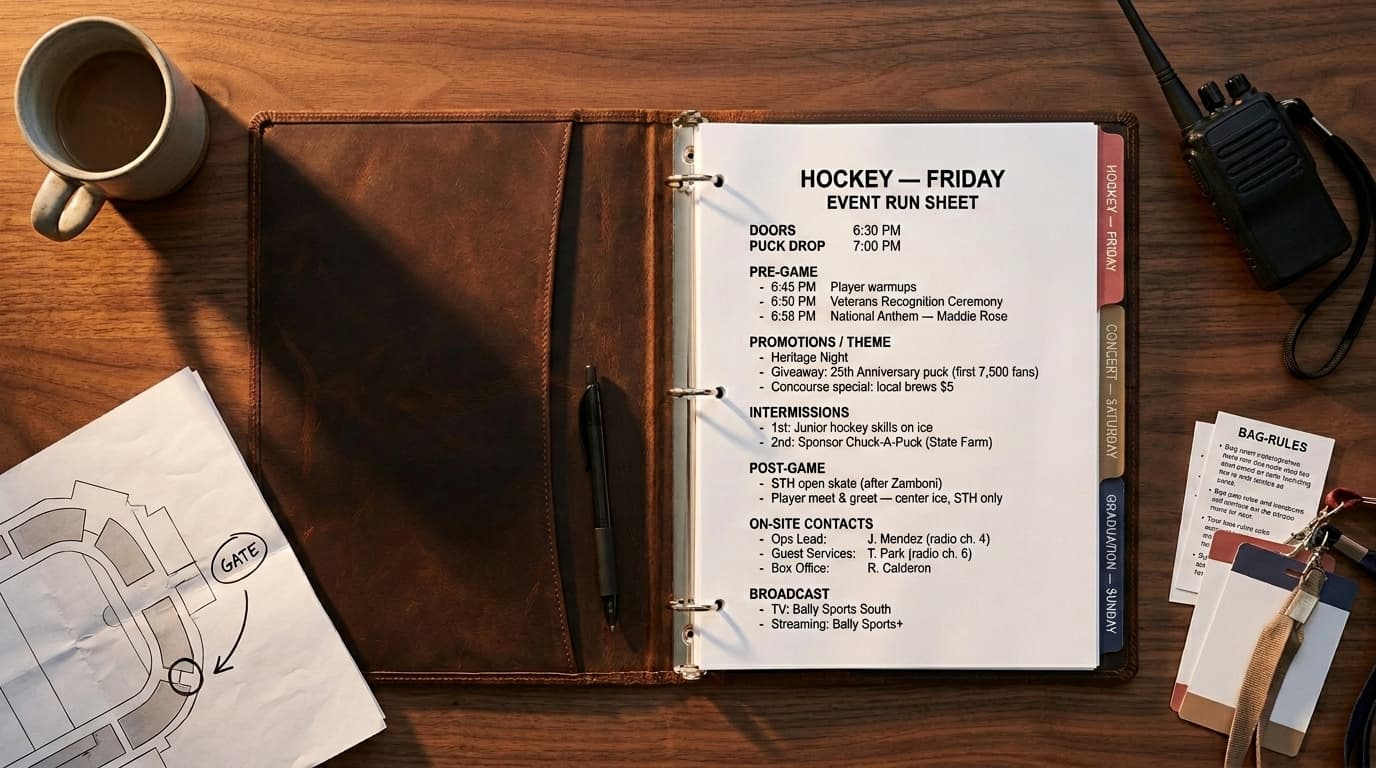
A venue runs three different events in 72 hours. The chatbot has one job and three right answers.
A mid-size arena runs hockey on Friday, a country concert on Saturday, and a graduation on Sunday. Same building. Three different crowds, three different vibes, three different sets of rules about what people can bring inside.
A guest texts the chatbot Friday afternoon and asks if she can carry her clutch purse into the hockey game.
The arena's team has loaded the answers for all three nights into the system. Hockey rules. Concert rules. Graduation rules. Which one comes back?
In a generic helpdesk AI, the answer depends on a stack of behind-the-scenes settings. Filters that may or may not be set correctly. Tags that may or may not be up to date. The right person remembering to mark the right document for the right night. The guest doesn't see any of that. She just sees an answer. And on a busy night, that answer is a coin flip.
This isn't a tagging problem. It's an architecture problem. And the more events you run through one shared AI, the worse it gets.
Per-event AI training is the structural fix. Not a setting you turn on inside a generic chatbot. A different architecture from the ground up.
Conventional helpdesks were built for products. Events aren't products.
The dominant AI helpdesk products on the market are excellent at supporting products. A product is a thing that stays put. It lives on a website. It has a price, a feature set, and a body of information about it that changes slowly. When a new version ships, the information updates. Otherwise it stays the same. Companies with one product or twelve can think of all of them as steady things with steady information. The architecture handles that beautifully.
An event isn't a product. An event is a time-bound experience that moves through phases.
It starts as an announcement. A teaser, a date, a venue. It moves through pre-sale, on-sale, and the ramp-up to gates opening. Then there's the week-of surge of questions about what to expect on arrival. Then there's day-of, with all of its real-time pressure: gates, weather, set times, lost wristbands, late arrivals, etc. Then the event ends and the questions shift again. Refunds. Lost and found. Compliments and complaints. Follow-up sales for next year. Then the event is gone. The information you carefully built up over the months it lived on the website gets archived. The chatbot for that event retires.
Conventional helpdesks have no built-in understanding of any of this. They were built for products that stay put. Events don't stay put. They have on-sale dates and gate times that matter as much as the event name. They have on-site vendors that change from one event to the next. They have structured details like parking, bag rules, and rideshare drop-offs that guests ask about constantly. They have a guest mood that swings hard in the 48 hours before doors. None of this is captured when you set up an event as if it were a product.
That's the architectural mismatch. It isn't about how many things you sell. It's about whether the things you sell have lifecycles. The configuration tax we covered in Multi-Event Support Management is real, but it's a symptom of this deeper problem. The system was never built to think in lifecycles in the first place.
Event-architected AI is built around the event itself
A platform designed for live events makes four foundational choices that conventional helpdesks weren't built to make.
Every piece of information belongs to a specific event
In ASQR, every piece of information you load in belongs to a specific event. Information about Friday's hockey game, like what bags are allowed in, lives at the hockey event level. Information about the venue itself, like how accessible seating works, lives at the venue level and stays put across every event in the building. Information that applies to your whole operation, like your company's general refund stance, lives at the organization level.
Those aren't labels bolted onto a shared pile. They're the structure of how the system holds the information in the first place. The hockey rules aren't sitting in the same drawer as the concert rules, waiting to be sorted out at the moment a question comes in. They live in separate drawers. When you build out next year's hockey night, you start with a clean event scope. You're not picking through last year's leftover gate changes and weather notes mixed into a shared pile.
The bots are set up to match how you actually operate
How you set up your bots depends on how you run your operation, and there's no one-size-fits-all. ASQR supports two approaches, and you can use one, the other, or both at once.
If you run a venue with a different event every night, configuring a separate bot for every event would be exhausting. Nobody wants to set up a fresh chatbot every time the calendar turns. Instead, you set up one bot for the venue itself. That bot knows every event on your calendar and the specific information for each one. A guest can ask a general question about parking, accessibility, or how to find the box office, and get a venue-wide answer. The same guest can ask about Friday's hockey door time and get the answer pulled from that night's specific information. The bot has one voice for your venue. The event-specific answers come from each event's own details.
If you run a marquee event like a major festival, a championship game, or a flagship conference, you'll probably want a dedicated bot for that event. Its own name, its own personality, its own tone, scoped entirely to that one experience. The festival bot doesn't represent your year-round operation. It represents the festival, and only the festival.
The information is always organized around the event. The bot configuration sits on top of that and flexes to your use case.
The search stays inside the right event
When a guest opens chat, the platform recognizes which bot is on the line and limits the search to what that bot is responsible for. If it's a venue bot covering a calendar of events, the search runs across that venue's events and drills into the specific one the guest is asking about. If it's a dedicated event bot, the search stays inside that one event only.
Either way, every kind of search the system uses, whether it's matching meaning, specific words, or pulling structured details like gate times and bag rules, lands inside the right event. Information from events the bot has no business answering for isn't ranked low and pushed off the top results. It was never in the running. There's no scenario where Saturday's concert information accidentally slips into a Friday hockey answer.
The things events actually care about are built right in
An event-architected platform knows that events come with structured details guests ask about constantly. Gate times. Door times. Bag policies. Event hours. Driving directions. Rideshare drop-off locations. Parking. Accessible entry points.
In ASQR, those aren't paragraphs buried inside a long help article. They're structured details attached to the event itself. When a guest asks the chatbot what time gates open, the system pulls the answer from the event's gate time. Not from a paragraph somewhere in a 30-page guest information PDF. That changes how reliable the answer is, how fast it comes back, and how easy it is for your team to update when something shifts on the ground.
This is the structural difference. The information is organized around the event itself, not stuffed into a flat product corpus and hoped for the best. Whether your bot covers a venue calendar or a single marquee event, every answer comes from event-scoped information.
Trace one question through both systems
The cleanest way to see the difference is to follow a single question through each one.
The question: "Can I bring a clutch purse?"
In a generic helpdesk AI:
- The system turns the question into a mathematical fingerprint it can search with.
- It searches everything the organization has ever loaded in, across every event.
- The top matches come back. They include pieces from the hockey bag rules, the concert bag rules, and the graduation bag rules, because all three are about what guests can bring inside and all three sit in the same pile.
- The system tries to filter down to the right event. That only works if a filter was set. And the filter was set correctly. And every document in the pile is tagged with the event it belongs to.
- Whatever survives gets re-ranked. The top pieces get assembled into the prompt the AI uses to write its answer.
- The AI writes an answer from whatever made the cut.
If the filter is missing, out of date, or applied to a document someone forgot to tag, the AI writes a confident answer that blends two events' rules together. The guest gets the wrong answer with no signal that anything went wrong.
In an event-architected AI:
- The system recognizes the bot from where the chat opened. This is the arena's bot.
- The bot identifies that the question is about Friday's hockey game.
- The search drills into the hockey event's information, scoped inside the events the arena bot covers.
- The matches come exclusively from information at the hockey event, the arena, or the organization level. Saturday's concert info is not on the list.
- The system checks how confident it is in the answer.
- If the confidence clears the bar, the bot answers from the hockey event's information. If it doesn't, the bot hands off to a human on the arena's team with full context.
Same question. Same model. Different universe.
The model didn't get smarter. The architecture decided what the model was allowed to see.
Why "just add tags" doesn't make a generic helpdesk AI per-event
The natural response from any generic helpdesk is to add tags. Tag the documents. Tag the conversations. Filter by tag at retrieval time. Problem solved.
It isn't solved. Tags are a runtime workaround, and they break in four ways that an event-architected platform doesn't.
Tag discipline drifts. Every document needs to be tagged correctly. Every new event needs the tag hierarchy extended. Every team member who uploads content needs to know the rules. Once a single document gets uploaded without the right tag, the AI can return it in the wrong context, and nobody knows until a guest gets the wrong answer.
Tag filtering is statistically harder than scoped retrieval. Asking an AI to exclude content from a large pool is a different operation than asking it to search a small pool. The exclusion logic has edge cases. Boundary conditions. Documents that ambiguously belong to two events. None of those edge cases exist when the data is structurally separated in the first place.
Tags don't separate the rest of the platform. Even if the AI manages to return only the right chunks, the rest of the helpdesk still runs on one ticket queue, one analytics pool, one feedback channel, one set of escalation rules. The AI lives in a silo, but the operation around it doesn't. The intelligence doesn't compound where it matters. Closed-loop learning only works if the loop is scoped to the right event.
Tags can't separate the structure. A generic helpdesk AI has one big pile of information with labels stuck on top. You can prompt-engineer it into pretending to scope answers by event, but the labels are runtime hints, not structural boundaries. Per-event scoping isn't real until the information itself is organized around events from the start.
A tag is a label on a thing that lives in a shared pool. A scope is a boundary that decides which things go in which pool. Those are different design choices.
What this changes for your operation
The architectural difference shows up in four places that matter to operations leadership.
New events become a setup task, not a configuration project. Adding a new event in an event-architected platform is a form. Not a tag hierarchy extension. Not a separate help center license. Not a vendor support ticket. The first event takes the same effort as the fiftieth.
Wrong-event answers become structurally impossible. When a guest asks about the hockey game, the answer comes from the hockey event's information, not from a blended mix of every event your operation is running. The hockey event and the concert event have separate information attached to them. There's no edge case where a stale tag or a missed filter sends a guest the answer from a different event. The mistake isn't possible.
Each event's information stays with that event. You're not maintaining one creaking shared FAQ that mixes three years of conflicting parking maps for three different events. Each event has its own information, scoped to itself. When you build the next one, you start with a clean event scope.
Per-event intelligence compounds where it pays off. The knowledge gap your manager closed at Friday's hockey game makes the next hockey game smarter. The thumbs-down a concert guest left on Saturday improves the concert bot before next month's date. The graduation feedback doesn't pollute either of them. The intelligence stays inside the event where it was earned.
The architecture is the difference
Per-event AI training sounds like a feature on a comparison chart. It's actually a structural decision that runs all the way through the system. The way information is stored. The way the search works. The way each bot is set up. The structured event details the platform knows from the start. A platform that didn't make that decision at the foundation can't get there by adding tags, by adding filters, or by piling more documents into a shared pile.
Conventional helpdesks weren't designed wrong. They were designed to support products that live indefinitely. That's the right design for the operations they were built to serve. Live events aren't products. They have on-sale dates, gate times, vendor relationships, and a guest experience that changes from event to event. The AI that serves them has to be built around the event itself. Anything else is a workaround tax compounded by an AI that's confidently right for the wrong event.
ASQR was built around how live events actually operate. Events as first-class things, with their own information and the structured details guests actually ask about built in from the start. Bots that flex to how you operate, whether that's one bot covering a venue's calendar or a dedicated bot for a marquee event. Setting up a new event is a form, not a configuration project. The full picture of why this matters lives in What Is a Guest Intelligence Platform.
See how per-event AI training works inside a real guest intelligence platform. Explore the platform features or book a 20-minute demo.
Ready to turn guest support into guest intelligence?
See how ASQR helps live events organizations understand their guests better.